


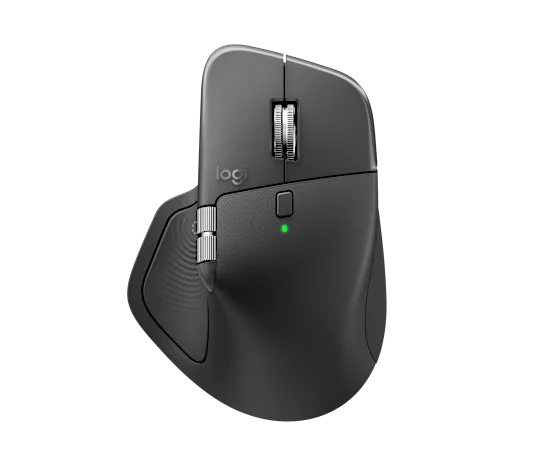
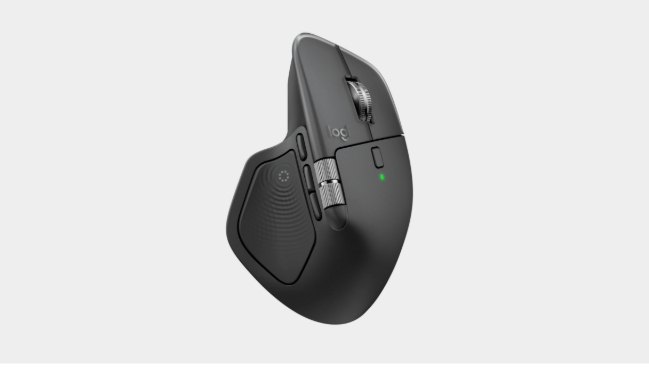
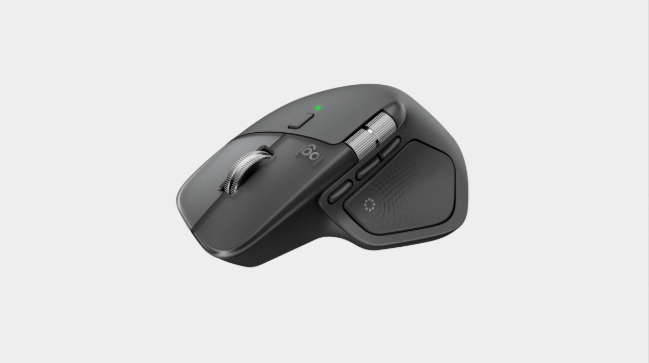


Logitech MX Master 4 Wireless Mouse
Specs and Compatibility
Dimensions
-
MX Master 4 Mouse
- Height: 5.05 in (128.15 mm)
- Width: 3.48 in (88.35 mm)
- Depth: 2 in (50.8 mm)
- Weight: 5.29 oz (150 g)
Technical Specifications
Sensor & Tracking
- Sensor Technology: Darkfield high precision
- Nominal value: 1000
- DPI (Minimal and maximal value): 200-8000 (can be set in increments of 50 DPI
Buttons
- Number of Buttons: 8
- Gesture button: Yes
Scroll Types
- Scroll Wheel: Yes, MagSpeed wheel with smart shift
- Horizontal scroll: Yes
- Thumb wheel: Yes, same as horizontal scroll
Features
- Customization app: Yes, Options + and basic support in Tune
- Haptic feedback is supported for key Options+ features like Actions Ring, Smart Actions, Gestures and for the following plugins:: Adobe Photoshop, Adobe Lightroom Desktop, Zoom. Coming in October: Adobe Premiere Pro.
Battery
- Battery type: Rechargeable 650 mAh
- Battery life: 70 days
Connectivity
- Connection Type: Wireless
- Wireless technology: Bluetooth Low Energy
- Wireless range: 33-ft (10 m)
- Bluetooth Low Energy (BLE): 5.1
System Requirements
- Bluetooth: Required: Bluetooth Low Energy, Windows 11 or later*, macOS 13 or later*, Linux**, ChromeOS**, iPadOS 15 or later**, Android 12 or later**. (*Customize device by installing the Logi Options+ App available for recent versions of Windows and macOS at app.logi.com, **Device basic functions will be supported without software for other systems than Windows and macOS)
- Logi Bolt USB receiver: Required: USB-C Port, USB-A Port, Windows 10, 11 or later*, macOS 13 or later*, Linux**, ChromeOS**. (*Customize device by installing the Logi Options+ App available for recent versions of Windows and macOS at app.logi.com, **Device basic functions will be supported without software for other systems than Windows and macOS)
- Compatibility: Compatible with both USB-C and USB-A receivers.
Warranty Information
Part Number
This mouse delivers smooth and stable wireless performance across multiple devices. One of its standout innovations is the Haptic Sense Panel and Action Ring Shortcuts, providing tactile feedback for better command execution and control. The MX Master 4 also offers an 8-button layout with smart-shift vertical and horizontal scrolling, making multitasking effortless. With the Logi Options+ software, users can easily customize settings for improved workflow and productivity. Combining ergonomic design, silent clicks, and an advanced sensor, the Logitech MX Master 4 stands as one of the most refined wireless mice in the Logitech lineup.
Haptic Sense Panel – Feel the Precision
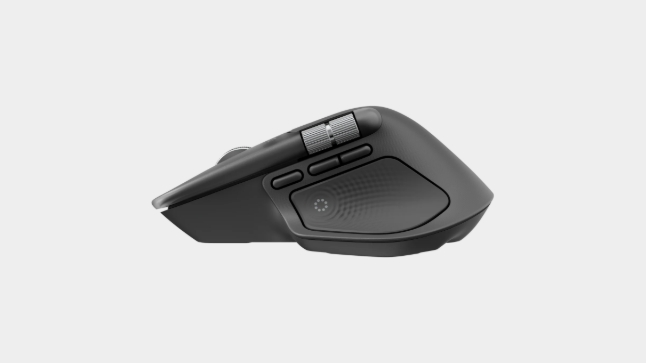
The Logitech MX Master 4 introduces the Haptic Sense Panel, designed to enhance productivity through configurable haptic feedback for specific actions, shortcuts, and notifications. Experience tactile responses while snapping images on grids, switching desktops, or adjusting sliders. Through the Logitech Options+ software, users can personalize feedback intensity, add third-party plugins, and create a completely tailored experience.
Action Ring Shortcuts – Smarter Workflow Control
Stay efficient with the Action Ring, which places your essential tools, commands, and shortcuts right under your fingertips. With customizable controls through Logitech Options+, you can reduce unnecessary cursor movement and menu navigation, saving up to 63% of mouse movements and boosting overall productivity.
MagSpeed Scrolling – 1,000 Lines per Second
The MagSpeed electromagnetic scroll wheel is Logitech’s fastest and most accurate ever. Switch instantly between precise ratchet mode and ultra-fast free-spin mode, capable of scrolling 1,000 lines per second. The machined steel wheel provides smooth glide control, silent operation, and incredible tactile feel for any workflow.
8K DPI Sensor – Track on Any Surface
With its 8,000 DPI Darkfield sensor, the MX Master 4 can track flawlessly on virtually any surface, including glass. This ultra-precise sensor is five times more accurate than a standard mouse, offering pixel-perfect performance for designers, editors, and professionals working on large screens.
Next-Generation Connectivity
The Logitech MX Master 4 delivers faster, more stable connections with an upgraded radio chip, enhanced antenna design, and a next-gen Type-C Logitech Bolt receiver. Say goodbye to lag and interruptions, and enjoy uninterrupted workflows across multiple devices.
Ergonomic & Comfortable Design
Engineered for all-day comfort, the MX Master 4 features a sculpted design that supports your hand and wrist in a natural position. Its optimally placed buttons allow intuitive control, while the side scroll wheel aligns with your thumb for easy horizontal navigation.
Logi Options+ – Customize Your Workflow
The Logi Options+ software allows deep customization of the MX Master 4. With Flow technology, you can copy and paste content between devices and operating systems. Customize button functions, tracking speed, gesture controls, and app-specific profiles to enhance productivity. The software also supports Smart Actions and third-party plugins for an even more tailored experience.
Multi-Device & Cross-Platform Compatibility
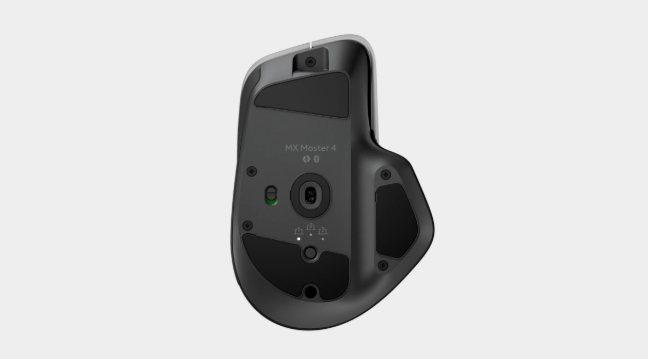
Effortlessly connect up to three devices using Bluetooth or the Logitech Bolt receiver. Use the Easy-Switch button or Action Ring to toggle between systems seamlessly. The MX Master 4 supports Windows, macOS, Linux, Chrome, IOS, iPad and Android, ensuring broad compatibility right out of the box.
Extended Battery Life – Up to 70 Days
Stay productive longer with a powerful rechargeable battery that lasts up to 70 days on a full charge. With USB Type-C fast charging, just one minute of charging gives up to three hours of use—perfect for busy professionals who can’t afford downtime.
FAQ – Logitech MX Master 4 Wireless Mouse
Q: What is the Logitech MX Master 4 used for? A: It’s designed for professionals, designers, and office users who need precise control, ergonomic comfort, and multi-device connectivity.





















Reviews
Clear filtersThere are no reviews yet.